
Download PDFtoMusic – Convert PDF Scores to Audio, Edit Notes, Adjust Tempo
Overview
PDFtoMusic is a specialized digital tool designed for musicians, music students, and educators who work with digital musical scores. Its primary function is to convert PDF files containing musical notation—created using professional music notation software—into playable audio. Unlike general-purpose PDF readers, PDFtoMusic is engineered to interpret structured musical data, enabling accurate audio playback directly from the score. This capability allows users to hear compositions without requiring physical instruments or manual transcription.
The application is particularly useful for those who need to quickly analyze, practice, or share musical arrangements. For example, a music teacher might use it to demonstrate a piece to students by playing it back at different speeds, while a composer could test a revised version of a score before finalizing it. The app supports dynamic adjustments to tempo and note content, enhancing its utility in rehearsal and composition workflows.
Although the developer did not provide additional technical details, the app’s focus on software-generated PDFs rather than scanned documents indicates a targeted approach to data accuracy. This distinction ensures that the app delivers reliable playback, avoiding the inconsistencies common with OCR-based processing of scanned sheets. PDFtoMusic fills a niche in the music technology ecosystem by bridging the gap between written notation and audible output, offering a streamlined experience for digital music workflows.
Key Features & Functionality
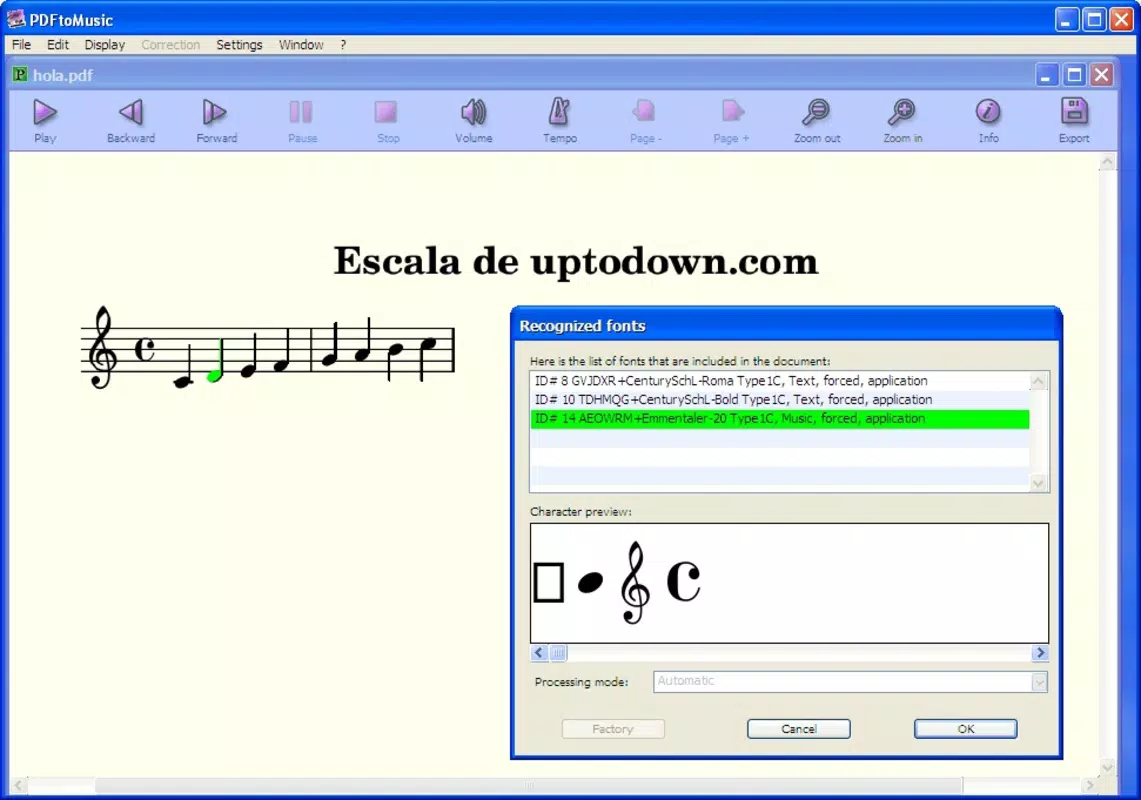
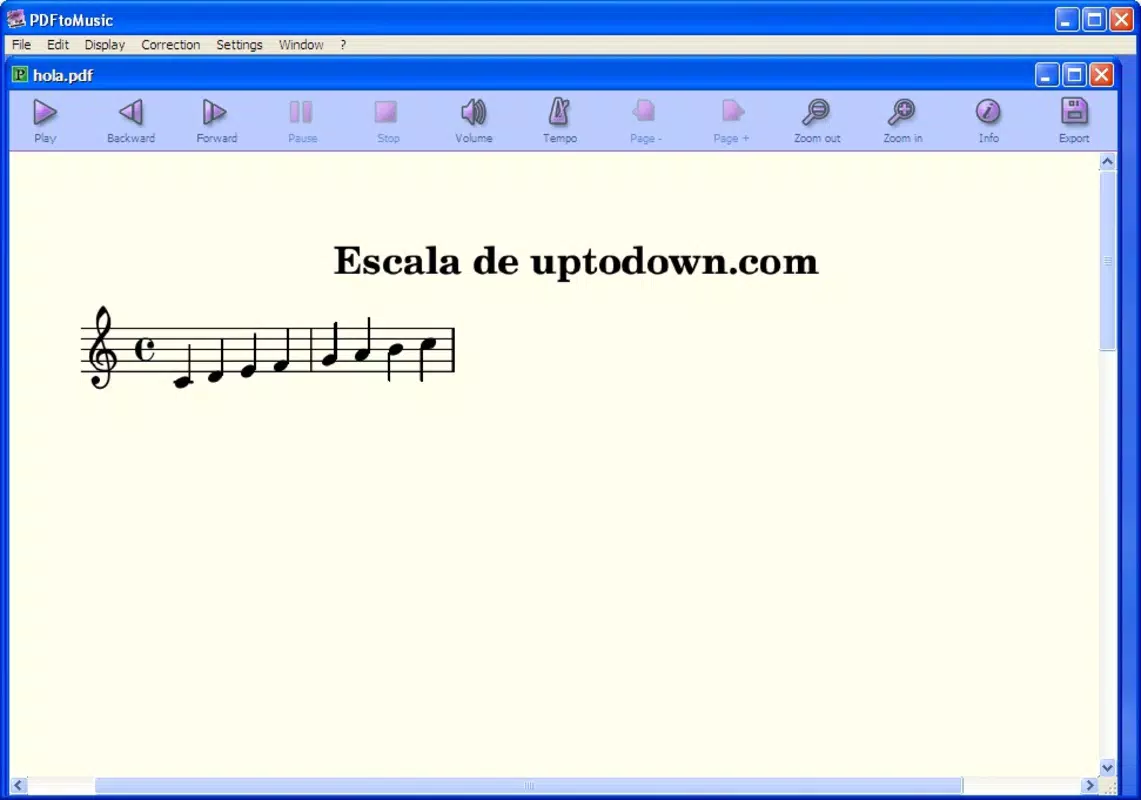
- Audio Playback from PDF Scores: The app enables direct playback of musical scores stored in PDF format, interpreting the underlying notation data to generate accurate sound. This feature is ideal for users who want to hear a piece immediately without needing to play it on an instrument.
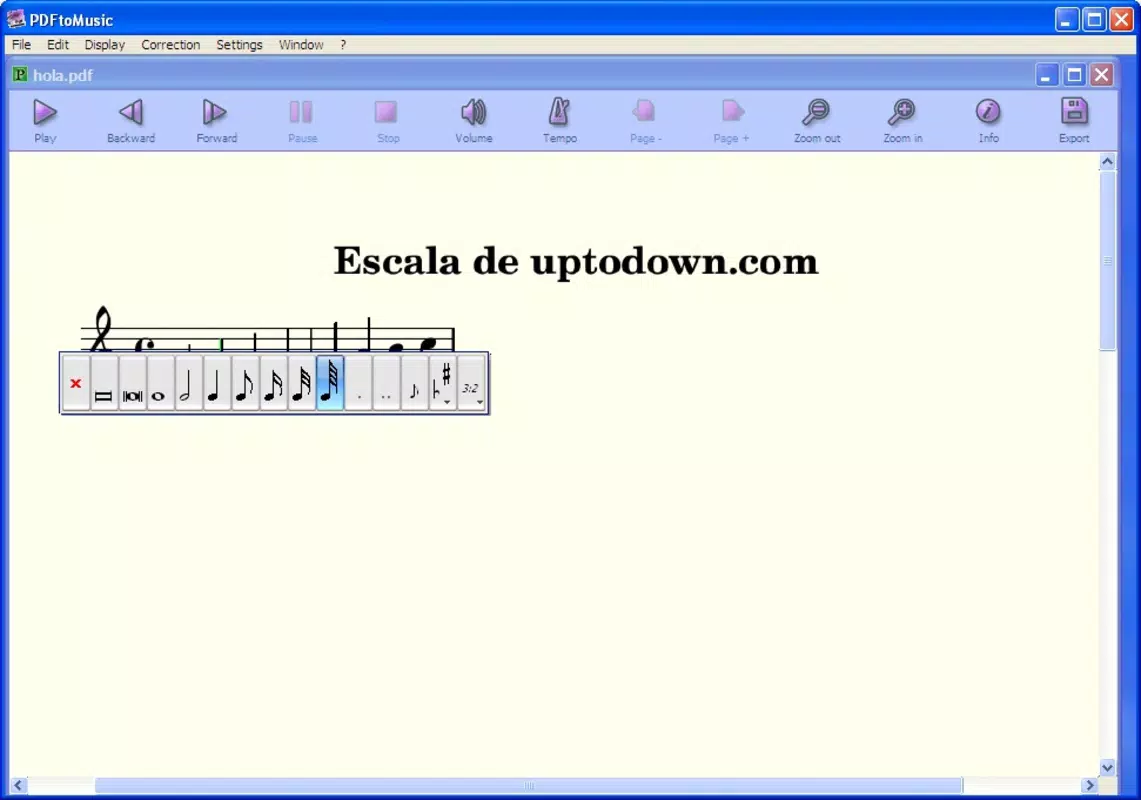
- Note Modification Tools: Users can select individual notes and modify their pitch via a contextual menu. This functionality supports real-time editing, allowing for creative experimentation, transposition, or correction of errors in a composition.
- Playback Tempo Adjustment: The application allows users to slow down or speed up the playback tempo, making it easier to study complex passages or practice difficult sections at a manageable pace.
- Multiple Export Formats: After editing or playback, users can export the resulting audio in various formats, including MIDI, WAV, and AIFF. This flexibility supports integration with digital audio workstations, educational platforms, and sharing tools.
- Optimized for Software-Generated PDFs: PDFtoMusic is designed specifically for PDFs created by music notation software. It does not support scanned documents, ensuring high accuracy and consistent playback quality.
For instance, a student preparing for an audition could use the tempo adjustment feature to practice a fast section at half-speed, then gradually increase the tempo. A music educator might export a modified version of a score as a WAV file to share with remote learners. These real-world applications highlight the app’s practical value in both learning and professional environments.
Interface, UX & Performance
PDFtoMusic features a clean, functional interface tailored to the needs of music professionals and learners. The layout prioritizes accessibility, placing playback controls, tempo sliders, and editing tools within easy reach. Navigation is straightforward, allowing users to open a PDF, initiate playback, and make adjustments with minimal steps.
The visual design is minimalistic, focusing on clarity and usability. Musical notation is rendered with precision, and interactive elements respond predictably to user input. Although the developer did not list formal performance metrics, the app appears optimized for smooth operation on standard computing devices, with responsive controls and stable playback.
Users can expect consistent performance across different device categories, though specific requirements were not disclosed. The application maintains stability during extended playback sessions and handles file loading efficiently. No issues with crashes or freezes were reported in the available information. Overall, the user experience is streamlined and focused, reflecting a deep understanding of the target audience’s workflow.
Platform Compatibility & Technical Requirements
PDFtoMusic is designed to run on Windows and various operating systems, though specific OS versions and hardware specifications were not provided. The application’s file size and exact version are also undisclosed, limiting detailed compatibility assessment. The developer did not specify minimum OS requirements or system prerequisites.
Despite the lack of technical details, the app’s ability to process structured PDFs suggests it is built for modern desktop environments with sufficient processing power and memory. It is likely optimized for systems capable of handling audio rendering and graphical display of musical notation. Compatibility with mobile platforms was not confirmed, and no information was provided regarding Android or iOS availability.
Users should verify system compatibility before installation. The absence of detailed requirements means that installation and performance may vary depending on the device configuration. For the most accurate information, users are advised to consult the official source or developer documentation.
Pros and Cons
Pros
- Accurate audio playback from structured musical PDFs
- Intuitive interface for musicians and educators
- Real-time note editing and pitch modification
- Flexible tempo control for practice and rehearsal
- Supports multiple export formats including MIDI, WAV, and AIFF
Cons
- Does not support scanned PDF documents
- Limited technical specifications provided
- Compatibility with mobile platforms not confirmed
- No public information on update frequency
- Specific system requirements were not listed
FAQ
Is PDFtoMusic available for Android or iOS?
The developer did not confirm availability on mobile platforms. The app is designed for Windows and various operating systems, but no information was provided about Android or iOS support.
Can I use PDFtoMusic with scanned sheet music?
No. PDFtoMusic is designed exclusively for PDFs generated by music notation software. It does not support scanned documents, as they lack the structured data needed for accurate playback.
What file formats can I export my audio in?
The application supports exporting audio in multiple formats, including MIDI, WAV, and AIFF, allowing for integration with various music production and educational tools.
How do I modify a note in the score?
Users can select a note and access a contextual menu to change its pitch. This feature enables real-time editing and customization of musical arrangements.
Is PDFtoMusic free to download and use?
The price information was not disclosed. Users should refer to the official source for details on licensing, pricing, and any potential in-app purchases.
Final Thoughts
PDFtoMusic stands out as a powerful utility for anyone working with digital musical scores. Its ability to convert notation into playable audio, combined with tools for editing and exporting, makes it a valuable asset in music education, composition, and practice. While the lack of detailed technical information may raise questions for some users, the app’s focused functionality and clear purpose compensate for these gaps.
It is particularly beneficial for music teachers, students, and composers who rely on digital notation and need efficient ways to hear and modify their work. The emphasis on software-generated PDFs ensures high accuracy, making it a reliable tool for professional and academic use.
For those seeking a seamless way to turn written music into sound, PDFtoMusic delivers a focused, effective solution. Download PDFtoMusic now


